
Most big jobs are not lost because the customer thinks your price is wrong. They are lost because the whole amount has to come out of one month. With customer financing through Klarna, the customer can pay over time at checkout: a replacement they were putting off until next year becomes a monthly payment they can say yes to today. You are paid in full up front, and Klarna collects the installments, so you never wait on your money or chase a payment plan.
How it works
For your customer: when they pay online, they can choose Klarna and split the cost into interest-free installments, or pick a longer-term plan for bigger jobs. It happens right in checkout, not in a separate application you have to follow up on.
For you: you get the full amount up front, the same as a card payment. The payment plan is between the customer and Klarna, not you.
Cost: financing is offered at no extra cost to you.
Klarna is part of online payments, so you need Servgrow Payments set up and online payments turned on first.
Turn on financing
Click Settings, then Invoice settings, then open Financing.
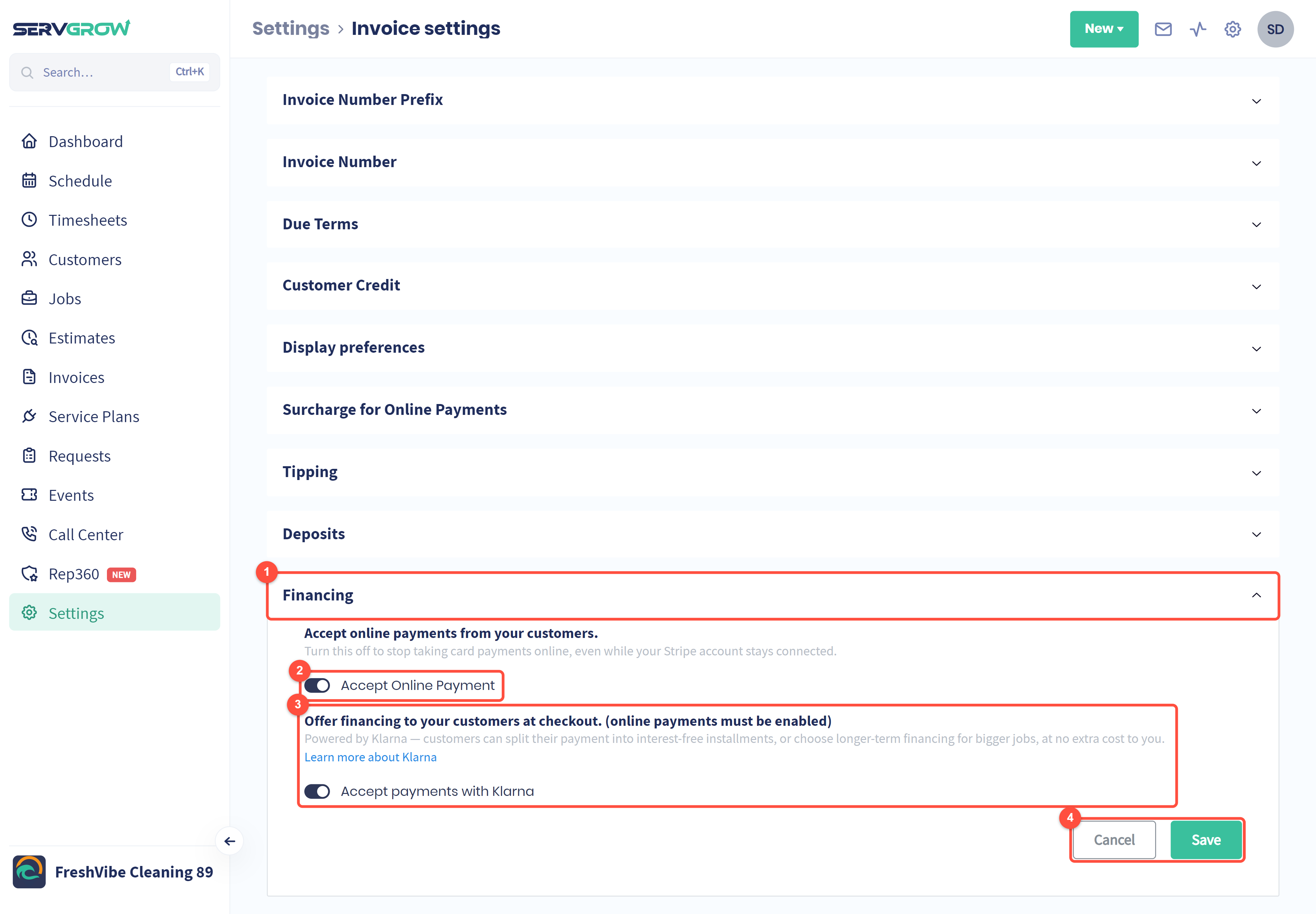
Open the Financing section.
Accept Online Payment must be on. This switch lets customers pay invoices online by card. Turning it off stops online payments even while your payments account stays connected.
Switch on Accept payments with Klarna. Learn more about Klarna opens Klarna's own page about its payment options.
Click Save.
From then on, Klarna appears as a way to pay when your customers pay online.
Tips
Mention financing on bigger estimates. A line such as "pay over time with Klarna" turns the total into a monthly figure the customer can say yes to.
Pair it with estimate options. When the better option costs more, financing makes it the easier choice.
Send invoices and estimates for online payment, because Klarna is only offered when the customer pays online.
Related articles