
Plans change during the day. A job runs short, a new call comes in, or you notice that a job booked for one tech is right next to where another tech is already working. Leaving the schedule as it is means extra miles, late arrivals and a tech who could have fit in one more job.
From the map on your Schedule, you can spot the job, swap in the tech who is closest and move it to a better time, all without leaving the page. It takes seconds, so you can re-dispatch on the fly and keep every tech's day tight.
Step 1: Spot the job on the map
Click Schedule, then Map, and go to the day. Each job pin shows the initials of the tech doing it. To compare techs, use the Team filter at the top to show one person's pins at a time.
When you find a job that is closer to another tech's work, click its pin.
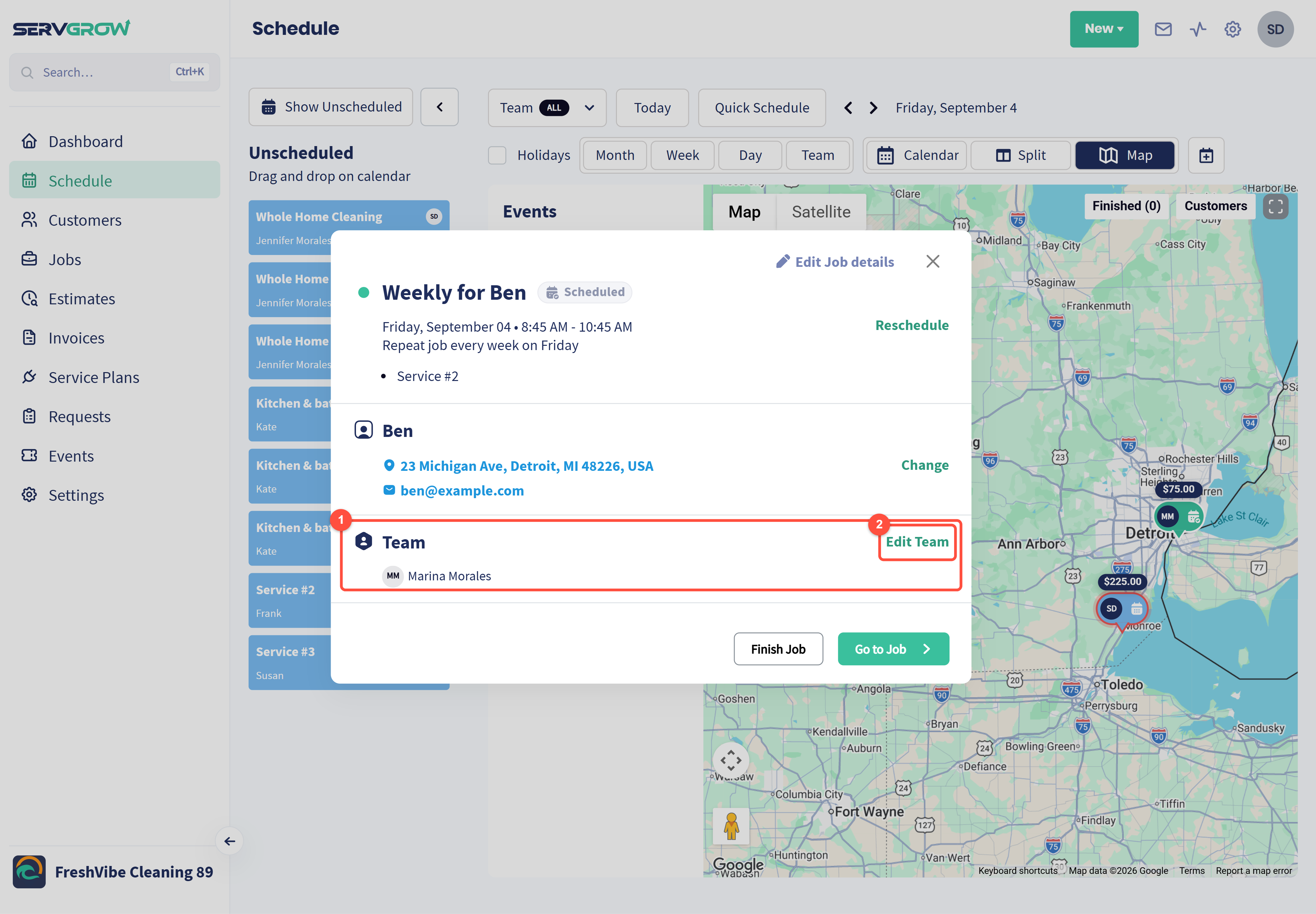
Team: who is doing the job now.
Click Edit Team.
Step 2: Swap the tech
Click Select employees and choose the tech who is closest.
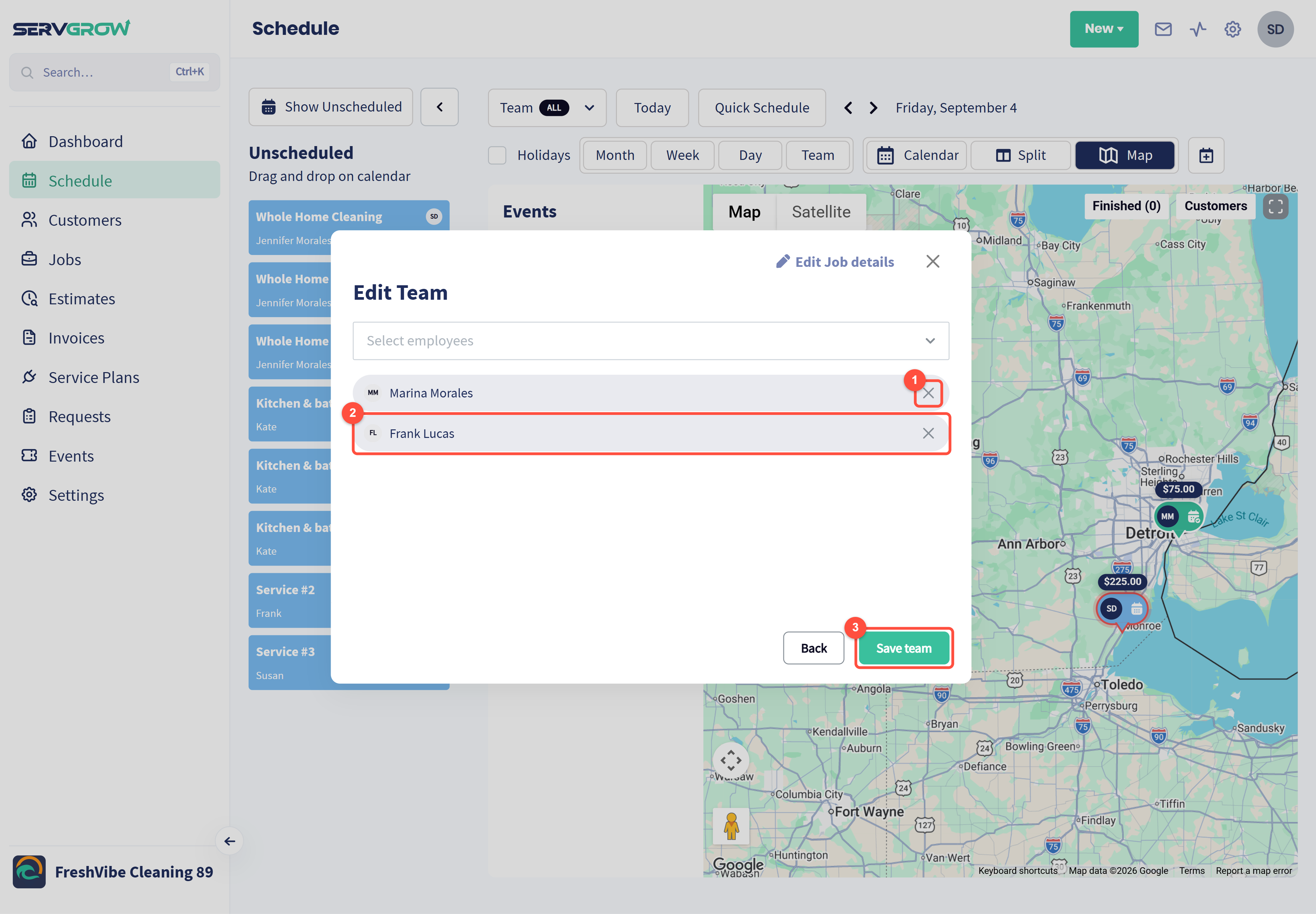
Click the X next to the tech who should no longer do the job.
The new tech is added to the team. Keep both people if it is a two-person job.
Click Save team.
Step 3: Choose which visits change
If the job repeats, Servgrow asks how far the change should go.
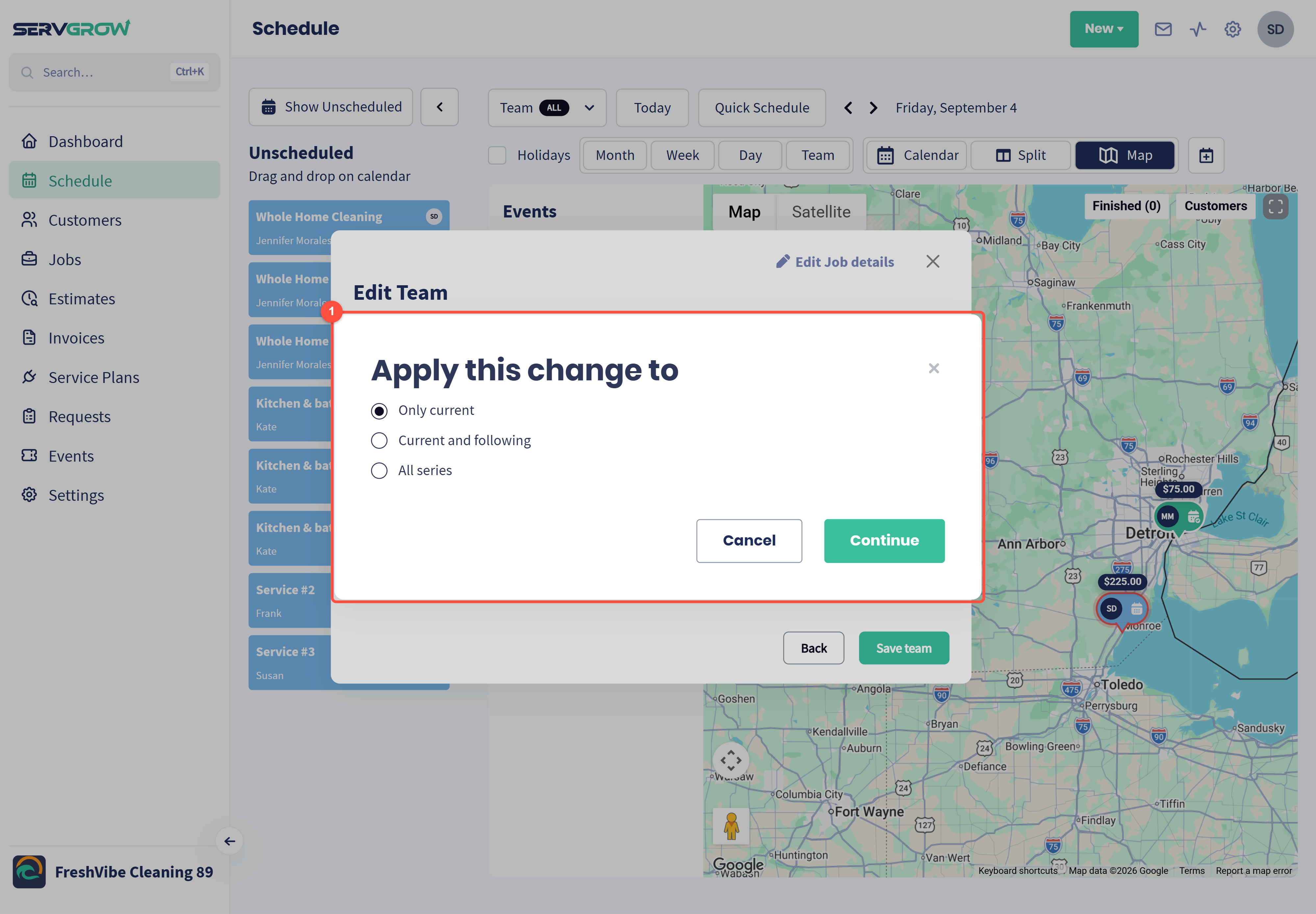
Only current changes just this visit. Current and following changes this visit and every one after it. All series changes every visit in the series. Click Continue.
Use Only current for a one-day swap, and Current and following when the new tech takes over the customer for good.
Step 4: Adjust the time if needed
If the new tech needs a different time, click Reschedule on the same panel.
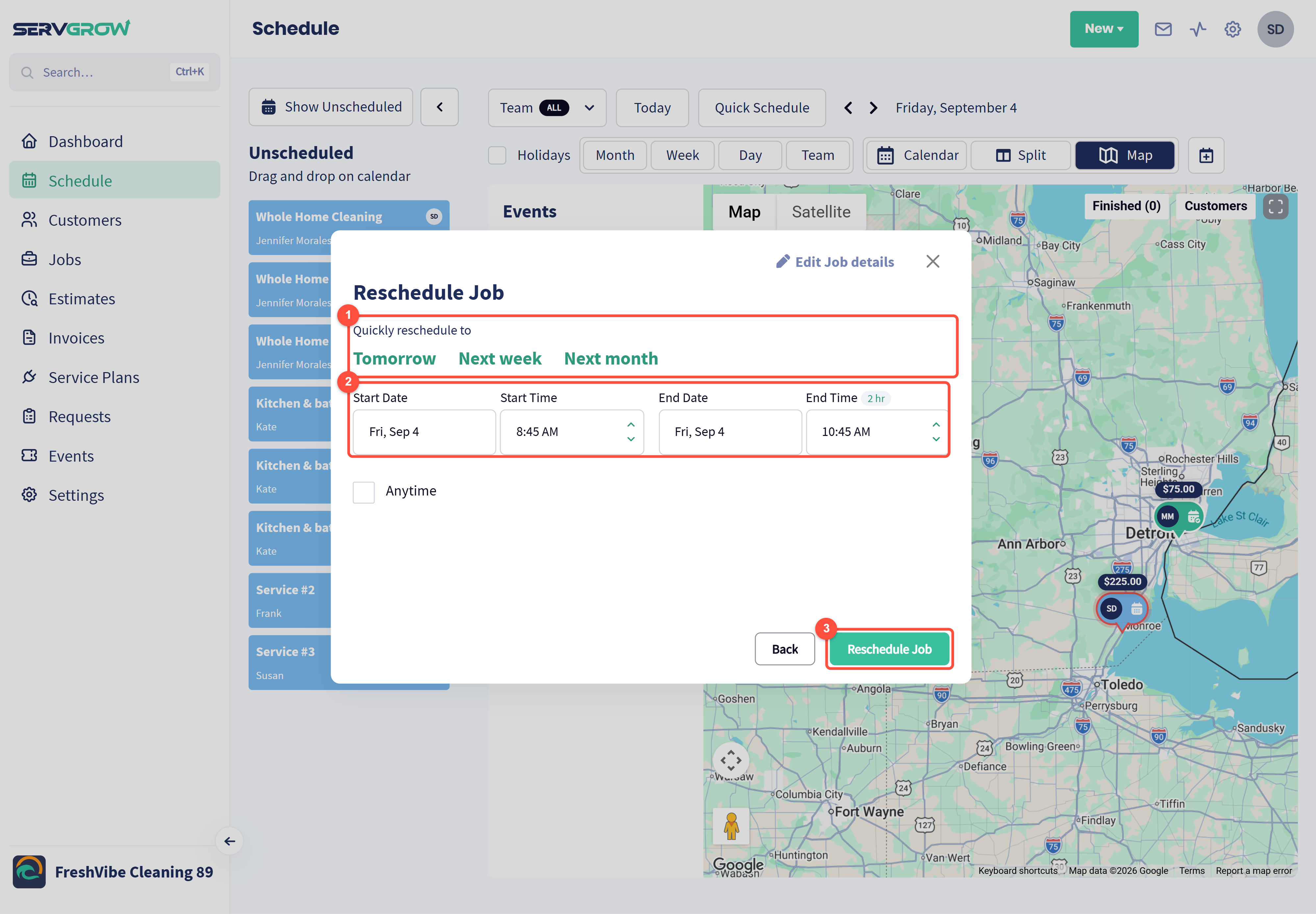
Click Tomorrow, Next week or Next month to move the job in one click.
Or set a new start and end date and time. Fitting it right before or after the tech's nearby job saves the most driving.
Click Reschedule Job.
Good to know
In Team view, dragging a job that already has a tech into another person's row changes its time, not its tech. To change who does the job, use Edit Team.
You can also change the team from the job page: click the pencil next to Team.
Tips
Check the map mid-morning. Early finishes and cancellations are the best chance to pull a nearby job forward.
Let the customer know if the time changes. Customers are happy with an earlier arrival when they hear about it first.
Related articles