
Some jobs do not happen in one go. A post-construction clean needs a rough clean while the trades are still on site and a final clean before handover. A big install might need one crew on Monday and a different one on Thursday. Segments let you split one job into parts, each with its own date, team and line items, while they stay together under the same job. Every part gets booked, nobody turns up on the wrong day, and you can still see the whole job in one place.
Add a segment
Open the job from the Jobs list or the Schedule.
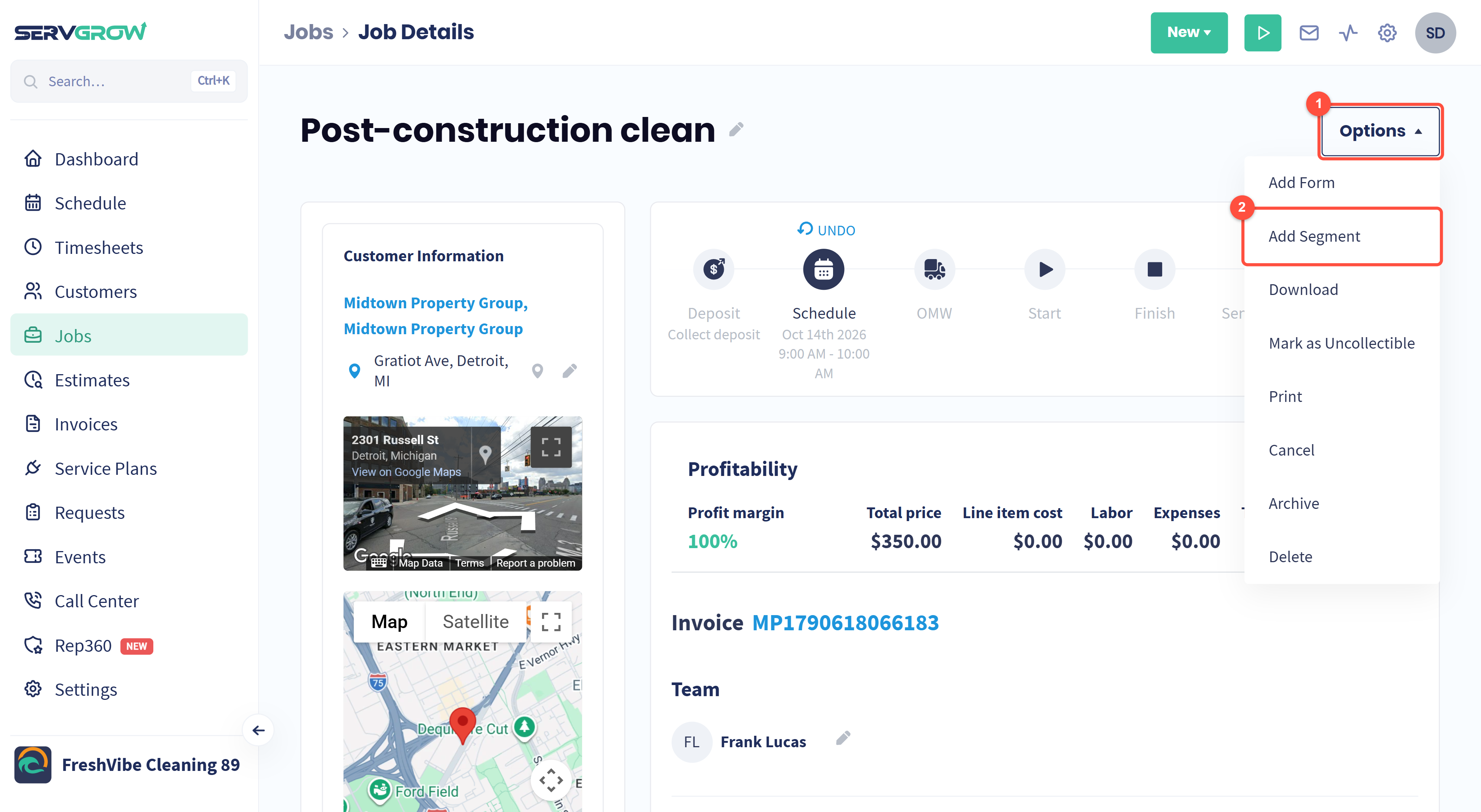
Click Options.
Click Add Segment.
Add Segment is not offered on service plan visits; plan visits are already scheduled for you by the plan.
Switch between segments
Once a job has more than one segment, the segments appear as tabs next to the job title.
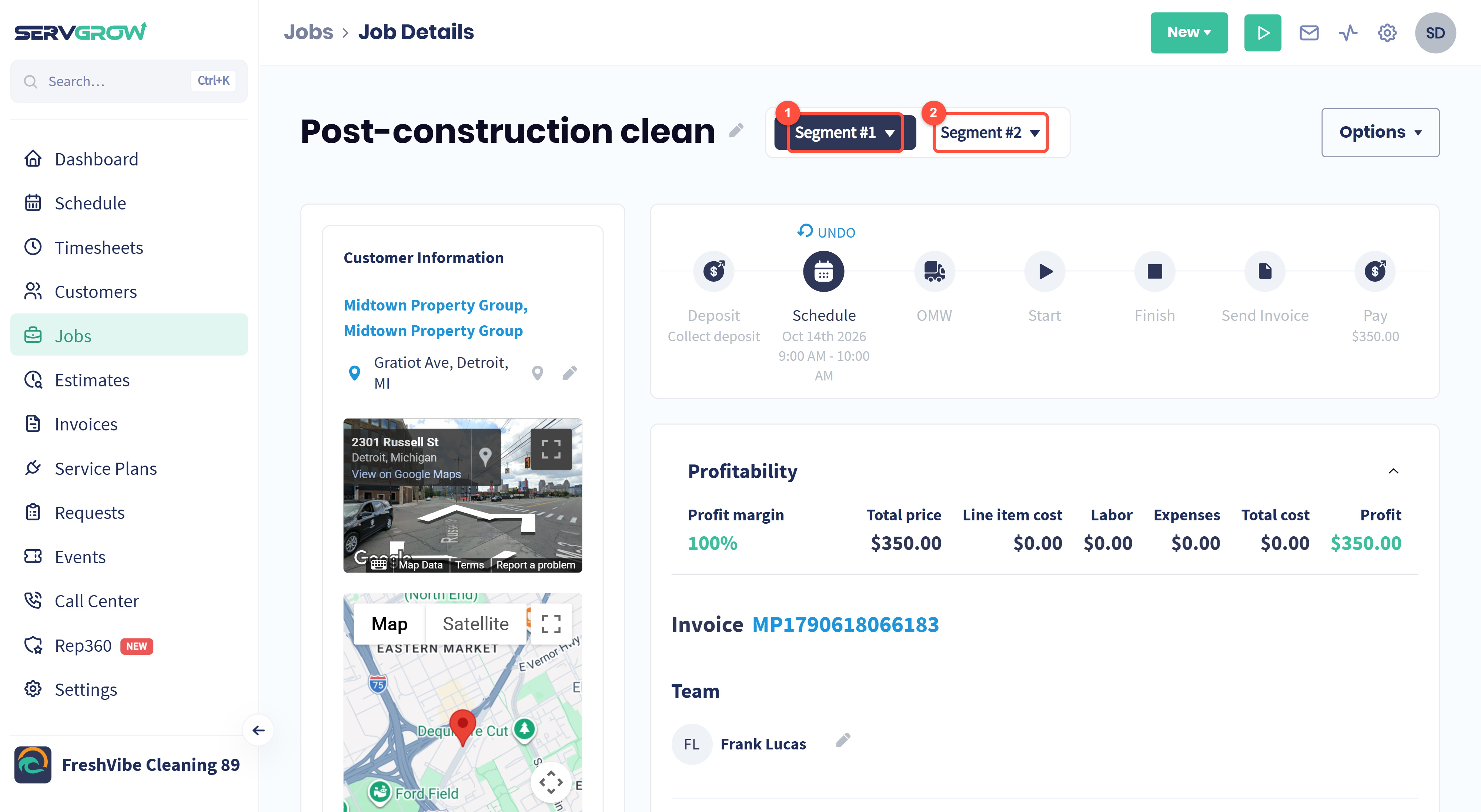
The highlighted tab is the segment you are looking at. Everything on the page below it, from the schedule and progress steps to the team and line items, belongs to that segment.
Click another segment to open it.
Set each segment up like any job: schedule it, assign the team and add the line items for that part of the work. Your crew then sees each part on the right day.
Rename or delete a segment
Numbers are hard to tell apart on a busy schedule, so give each segment a name that says what happens in it. Click the small arrow on a segment's tab.
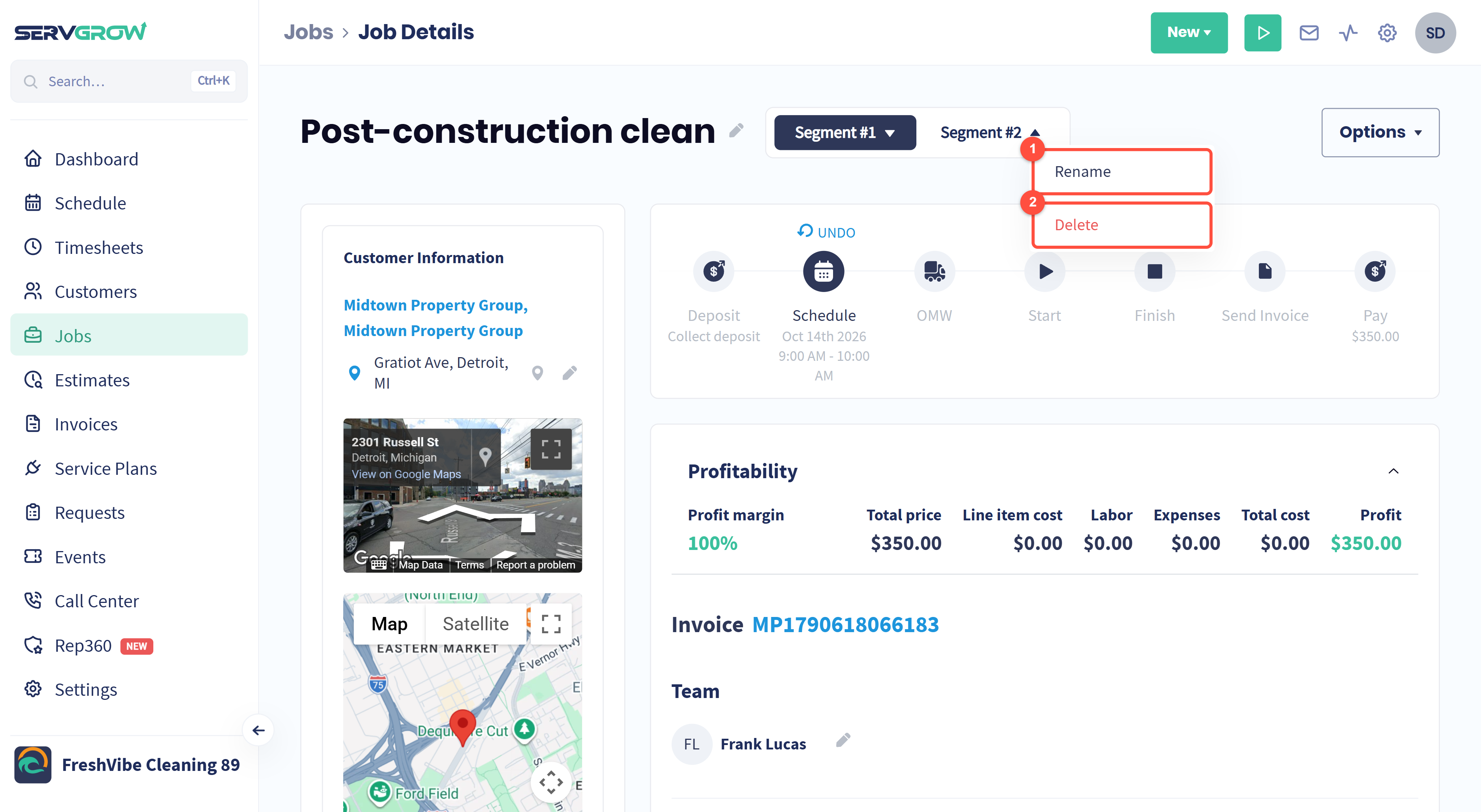
Rename: give the segment a clear name.
Delete: remove the segment.
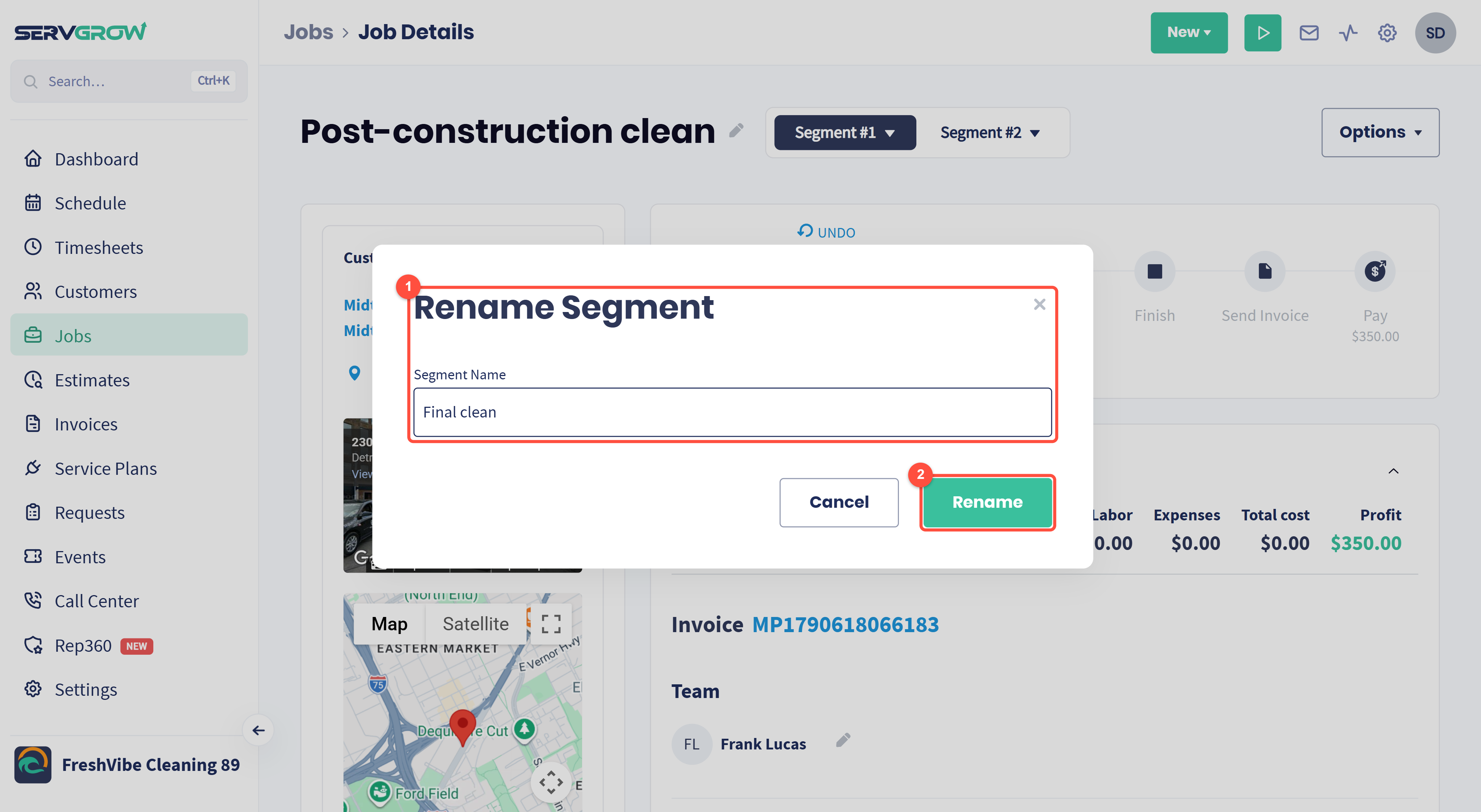
Type the new name, for example Rough clean and Final clean, or Day 1: Demo and Day 2: Install.
Click Rename.
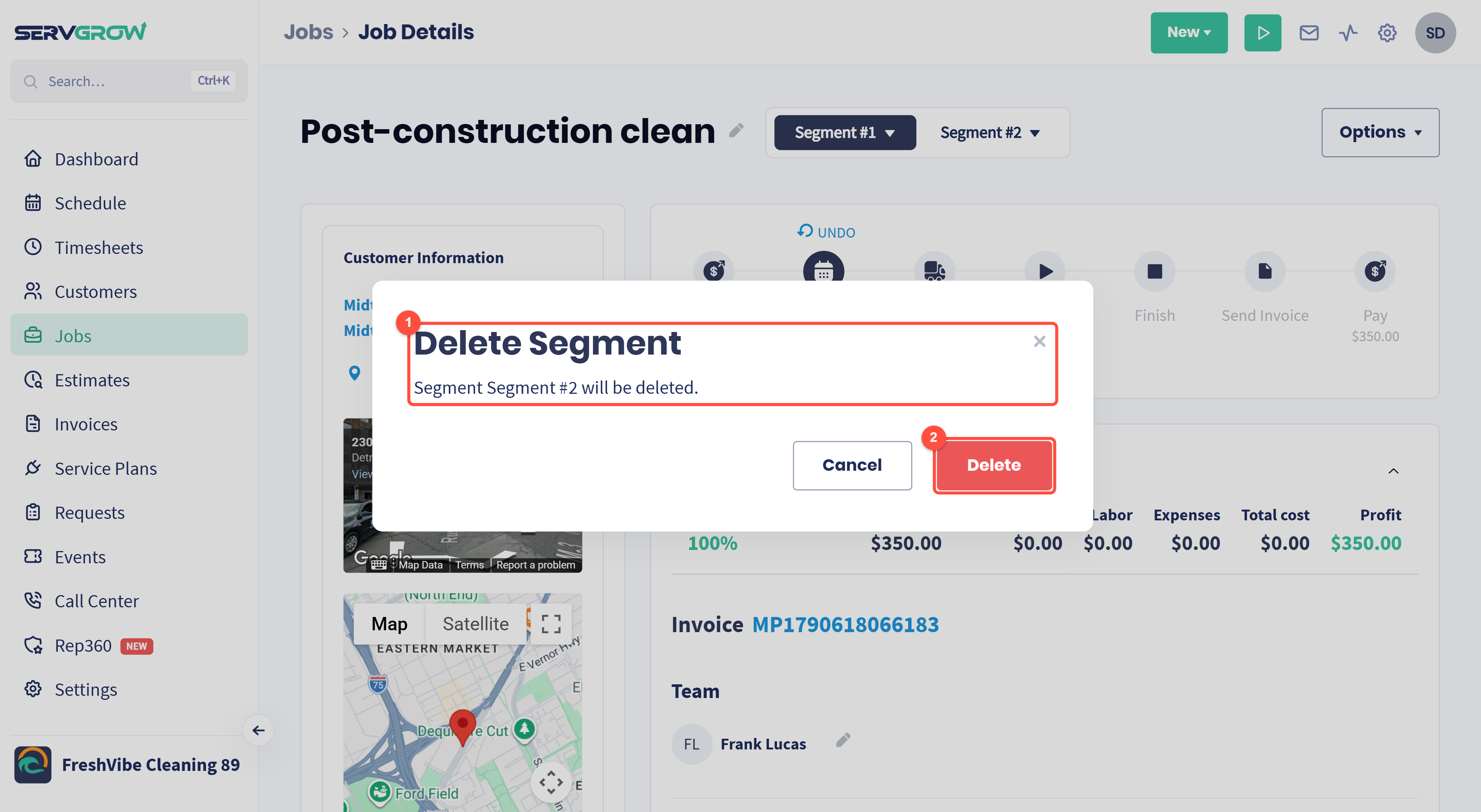
Deleting asks you to confirm, and tells you which segment will go.
Click Delete only if that part of the work is really off. The other segments stay as they are.
Only team members whose role lets them edit work can rename segments, and only those allowed to delete work can delete them. See Changing Employee Permissions and Roles: Give Everyone the Right Access.
Segments, multi-day jobs or recurring jobs?
Segments: one job done in separate parts, where each part has its own date, team or list of work. For example a rough clean and a final clean, or a different crew for each phase.
Multi-day job: one piece of work that simply runs over several days in a row with the same team. Set an end date when you book it. See Multi-Day Jobs and Drive Time.
Recurring job: the same work repeated on a schedule, such as every two weeks. See Recurring Jobs.
Tips
Name segments by phase, not by number. "Final clean" tells your crew far more than "Segment #2".
Book the later parts as soon as you know the dates. A segment with no date is easy to forget.
Put each part's work on its own segment. The crew on each visit sees only the line items, notes and checklists for their part.
Related articles