
A booking request is a customer who has already decided they want you. The faster you answer, the more of them turn into paid work instead of calling the next company on Google. Every request from your online booking form, your customer portal or a phone call lands in one list, with everything the customer told you, and turns into a job or estimate in a click.
Your booking requests
Click Requests in the left menu.
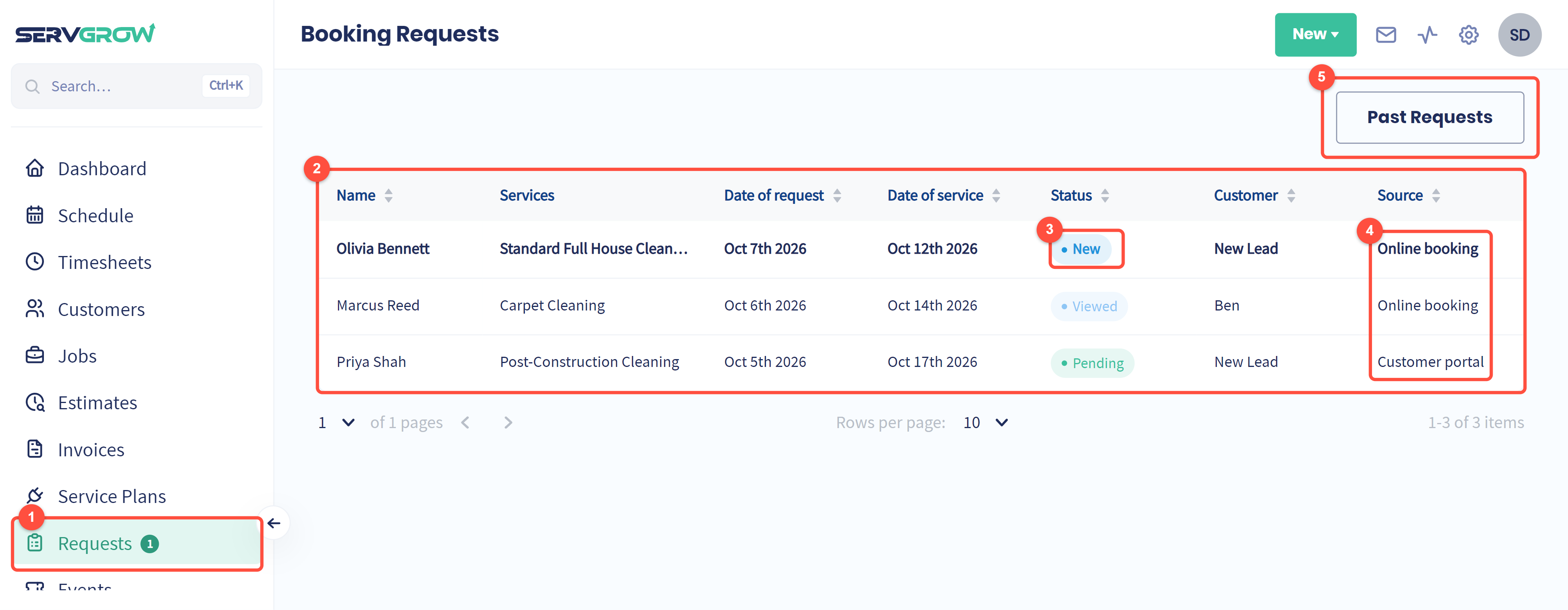
Requests in the menu shows a count of new requests you have not opened yet.
Each request shows who it is from, the services they picked, when they asked, the date they want, its status and whether they are already a customer (New Lead means not yet). Click a column heading to sort.
Status: New requests are in bold until someone opens them. Then they read Viewed, and later Pending, Converted to Job, Converted to Estimate or Bad request.
Source: where the request came from, either Online booking, Customer portal or Phone call.
Past Requests holds the ones you have dealt with, so this list stays a to-do list.
Open a request
Click a request to see everything the customer sent.
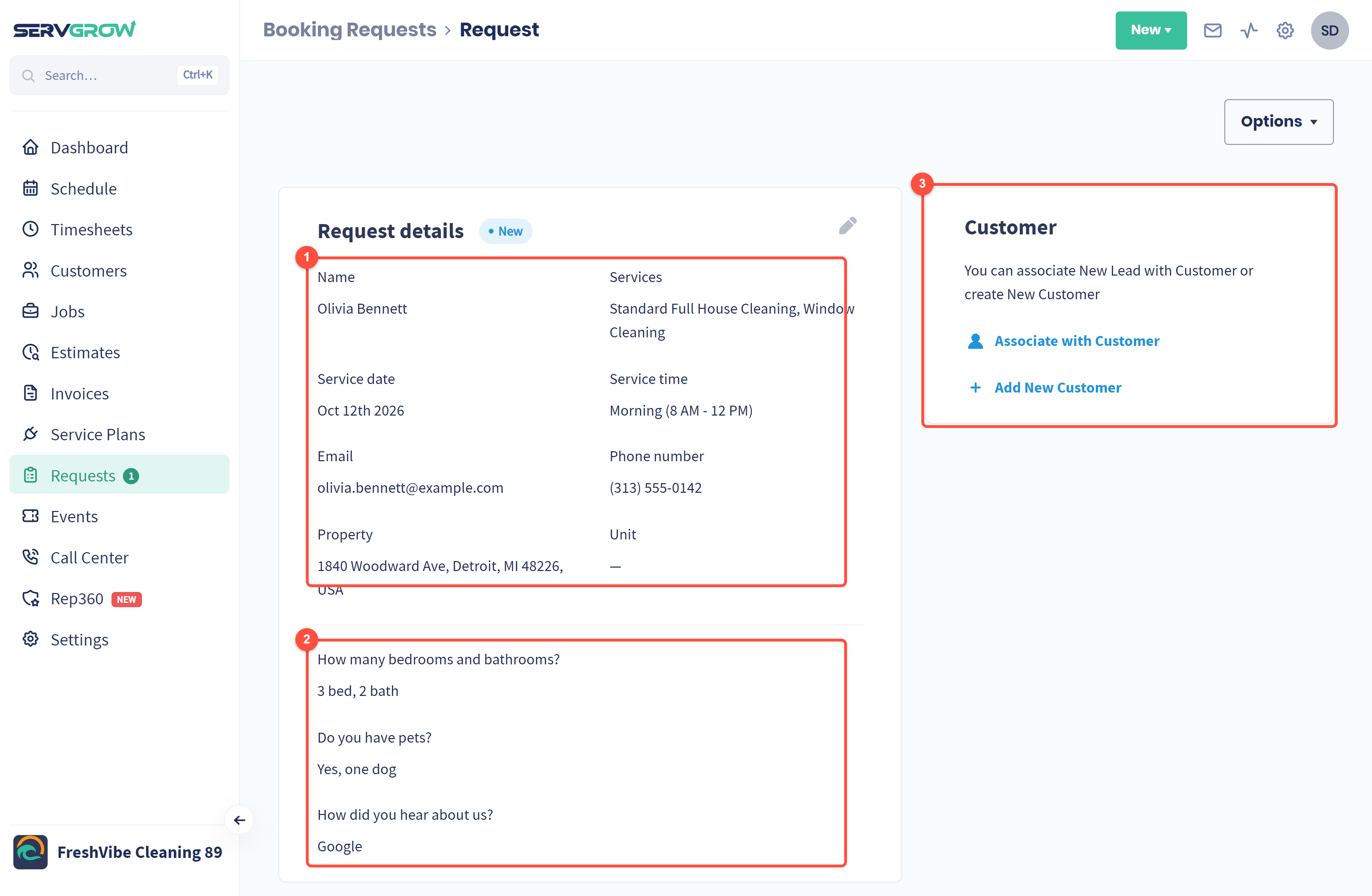
Who they are and what they want: name, services, the date and time they asked for, email, phone, the property and unit. The pencil lets you fix anything they mistyped.
Their answers to the questions on your booking form, such as the size of the home or how they heard about you.
Customer: link the request to a customer. Use Associate with Customer if they are already in Servgrow, or Add New Customer to create them from the details they typed in.
Turn it into a job or estimate
Once the request is linked to a customer, the card on the right changes to Convert.
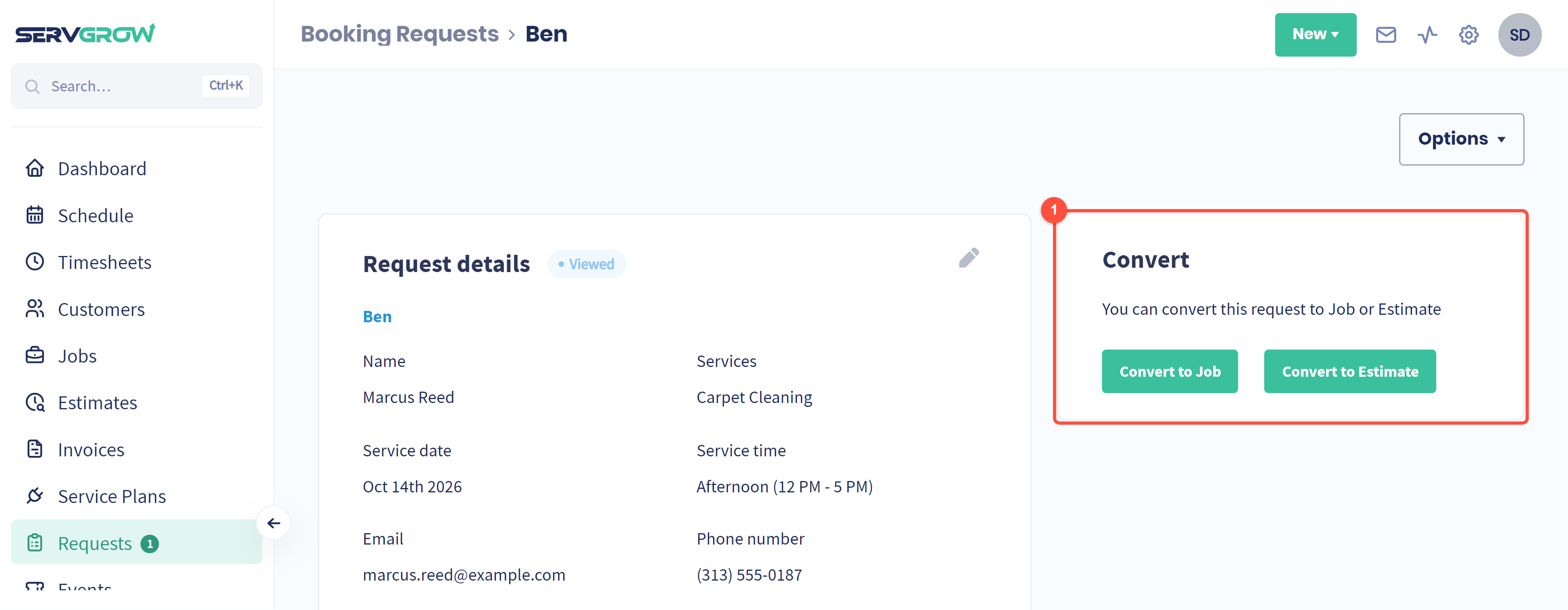
Convert to Job books the work straight away. Convert to Estimate is for work you need to quote first. Either way, the customer, address and services carry over, so you do not retype anything.
Clear out requests you will not take
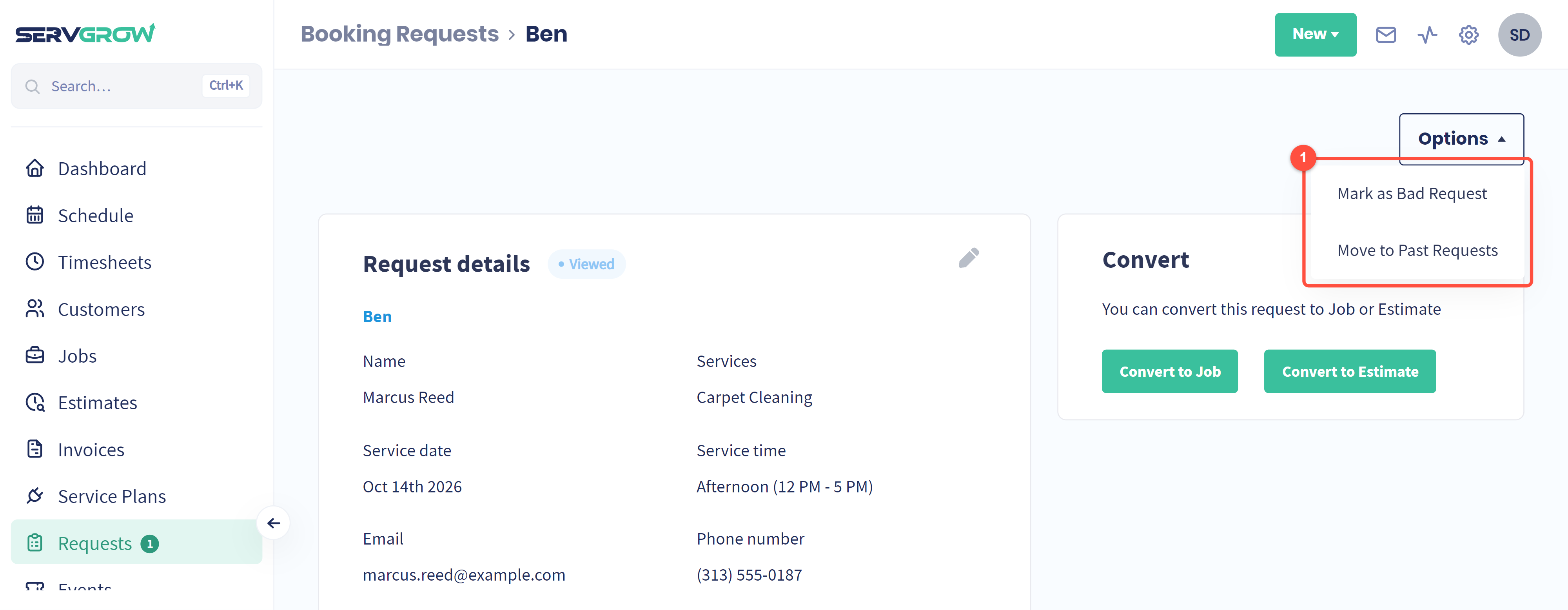
Click Options. Mark as Bad Request flags spam or a request you cannot take. Move to Past Requests files it away without converting it. A past request can be deleted from the Past Requests list.
Tips
Answer new requests the same day. Someone who books online is usually comparing two or three companies.
Always link to the existing customer rather than creating a duplicate, so their history stays in one place.
Ask useful questions on your booking form (home size, pets, access). The answers show up here and save a phone call.
Keep the list clean. Convert, mark as bad or move to past, so anything left in the list really needs an answer.
Related articles